Data engineering / Opinion
Warehouse Cost Control: The Queries, Habits, and Guardrails That Cut the Bill
Cut warehouse spend by finding expensive queries, fixing pruning and sizing, and adding guardrails that stop waste before it becomes the bill.
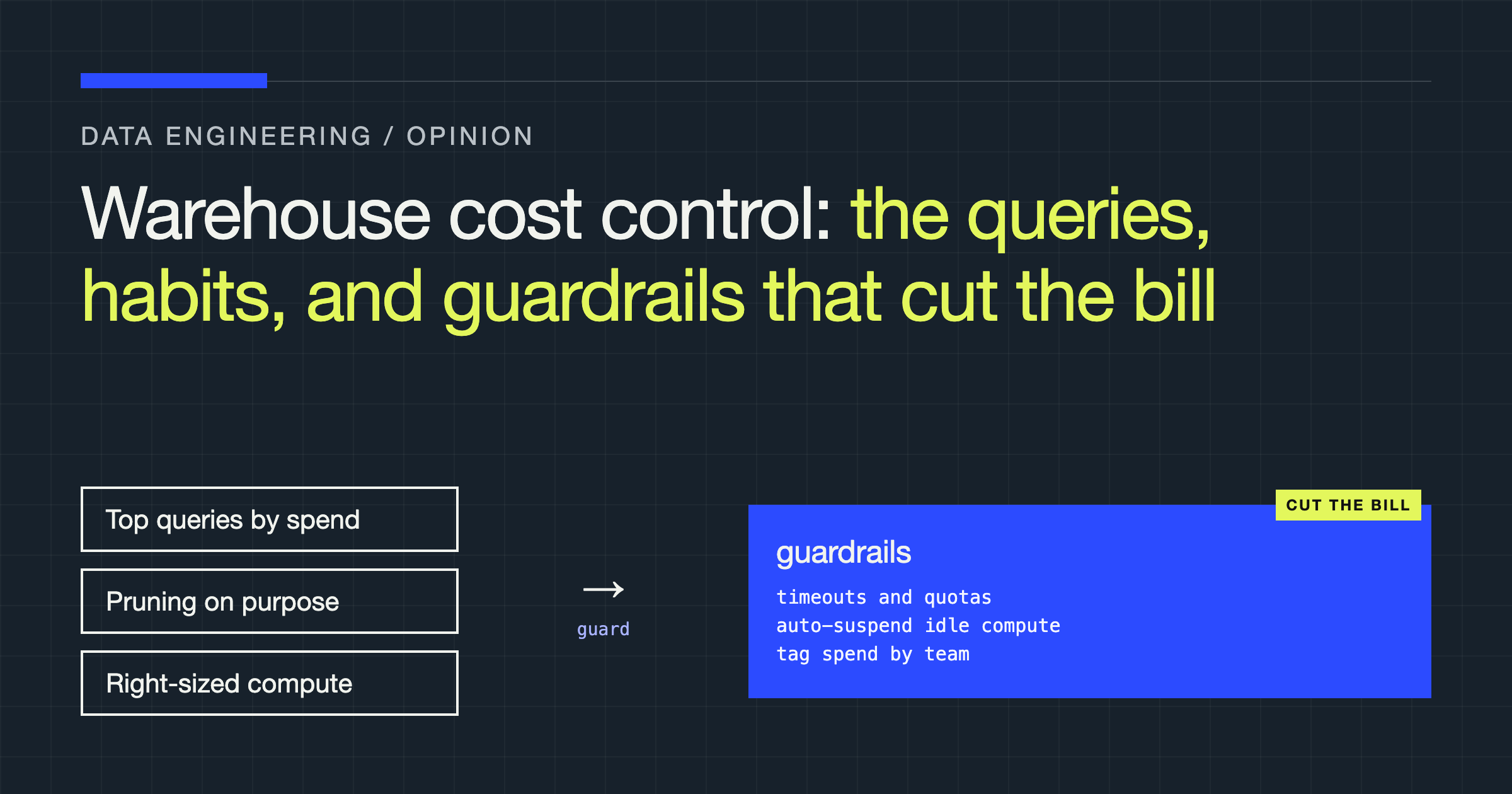
You will learn how to find the queries that actually spend your warehouse budget, fix the design choices behind them, and add guardrails so the same waste does not quietly return. You will also learn what not to cut. The cheapest warehouse is not the goal. The goal is a warehouse where every unit of spend corresponds to work you chose, understood, and would choose again.
Most bills are caused not by one dramatic mistake, but by dozens of reasonable decisions — a generous warehouse size, a full refresh, a dashboard extract nobody questioned — compounding in silence. Cost is a design property. Treat it as a billing surprise, and you will keep paying for designs you never reviewed.
Cost Is a Design Decision, Not an Invoice Surprise
Every query embodies decisions about how much data to scan, how much compute to rent, how long to keep that compute awake, and how often to repeat the work. Those decisions live in SQL, model configuration, BI tool settings, and defaults nobody remembers choosing. The invoice only reports them back, stripped of context.
So start at the decisions. When you review a model, ask what you ask about correctness: How much data does this read? Does it prune? Does it need to rerun in full? Does it run on the right size of compute, and does that compute shut down when the work ends?
Start With the Queries That Actually Spend Money
Do not optimise from intuition. Optimise from evidence. Every major warehouse keeps an account-level history of what ran, who ran it, how long it took, and how much data it touched. That history is your map.
-- Illustrative example: rank recent queries by cost drivers
-- Adapted for Snowflake-style ACCOUNT_USAGE views
SELECT
    user_name,
    warehouse_name,
    COUNT(*) AS query_count,
    SUM(total_elapsed_time) AS total_elapsed_ms,
    SUM(bytes_scanned) AS total_bytes_scanned
FROM snowflake.account_usage.query_history
WHERE start_time >= DATEADD(day, -7, CURRENT_TIMESTAMP())
GROUP BY user_name, warehouse_name
ORDER BY total_bytes_scanned DESC, total_elapsed_ms DESC
LIMIT 20;
On BigQuery-style systems, the equivalent evidence lives in INFORMATION_SCHEMA.JOBS views, where you rank jobs by bytes processed and slot time. The vocabulary differs. The questions do not: Who ran this? What did it scan? How often does it run? Was the result worth repeating at that frequency?
Read the SQL and execution profile before changing anything. Look for five patterns: full scans where a filter could have pruned but was applied after a transformation, wrapped in a function, or aimed at a column the table is not organised around; cross joins and accidental fan-outs, where a weak join condition multiplies rows before an aggregation tries to rescue the result; SELECT * carried through every layer, so unused columns are scanned and shuffled repeatedly; unbounded sorts and window functions over entire tables when the question needed only a ranked slice; and retry storms, where a failing job, aggressive scheduler, or BI tool on a short refresh cycle reruns expensive work, each attempt billing like the first.
Fix recurring scheduled queries first: recurrence multiplies everything.
Make Pruning Happen on Purpose
Partitioning and clustering only save money when queries actually use them. A partitioned table scanned without a partition filter is just a large table with extra metadata. A clustered table queried on unrelated columns gives you the organisation without the read savings.
Align the layout with the questions you really ask. If most queries filter by event date and a tenant, account, or region key, that is the layout conversation to have. If most queries scan everything regardless, no layout will save you. The honest fix is a smaller, purpose-built table for the recurring question, instead of repeatedly interrogating the raw one.
Then write SQL that lets the engine prune. Filter early, before joins and aggregations inflate the working set. Keep predicates sargable: compare the organised column directly rather than wrapping it in a cast or function that hides its range from the optimiser. Project only the columns you need, early. Ordering a huge intermediate result just to discard most of it is spend disguised as tidiness.
Verify pruning in the execution profile, not in your intentions. If it still shows a near-total scan, your predicate, layout, or join order is still wrong, however clean the SQL looks.
Materialise Less, and Materialise Deliberately
Every materialisation is a bet: you pay to build and store a result so future reads become cheaper. Sometimes the bet is excellent. Often it is habit, a tool default, or folklore that a table always beats a view. Make the bet explicitly, per model, based on build cost, read frequency, freshness needs, and the pain of a slow read.
| Strategy | Best when | Watch out for |
|---|---|---|
| View | The query is cheap, pruning works, freshness beats read speed | Every read repays the full build cost |
| Full refresh table | The dataset is modest and simplicity beats efficiency | You repay the entire build even when almost nothing changed |
| Incremental table | The source is large, changes are cleanly keyed, runs are frequent | Late data, updates, and deletes can silently corrupt results if merge logic is weak |
| Pre-aggregated result | A known, repeated question tolerates some staleness | Stale answers presented as live; aggregates nobody asks for anymore |
Incremental models deserve scrutiny. Done well, they process change instead of history — a reliable structural saving on large, frequently refreshed datasets. Done carelessly, they produce numbers that are cheap and wrong, which is worse than expensive and right. Define the unique key, change window, and handling of updates and deletes in writing, and reconcile an incremental result against a full rebuild on a sample before trusting it.
The opposite error is refusing to materialise anything. If the same expensive join powers a dashboard that loads all day, rebuilding it on every view is not purity. Materialise the shared result once, refresh it as often as the business actually consumes it, and let many cheap reads replace many expensive ones.
Size Warehouses for the Work, Not for Anxiety
Oversizing is the most socially acceptable waste. Someone raises the warehouse size during an incident, the incident ends, and the larger size becomes permanent because nobody wants to make the dashboard slow.
Separate workloads before sizing them. Exploration, scheduled transformation, and BI serving have different latency needs and tolerance for queueing. Separate warehouses or clusters let you size each honestly, suspend each independently, attribute spend cleanly, and stop a heavy backfill from competing with the executive dashboard — usually the real problem oversizing was papering over.
Then watch auto-suspend and auto-resume, because idle time is pure loss. A warehouse awake long after its last query charges you for inattention. Set suspend delays short for bursty, interactive work, and test the resume latency users will feel. Batch scheduled work so the warehouse wakes, does a meaningful block of jobs, and sleeps, rather than waking repeatedly for trivial runs. On systems billed by data processed rather than compute time, the equivalent discipline is controlling scan volume and slot usage. Either way: pay for work, not for readiness you do not need.
Test size changes. A larger warehouse that finishes proportionally faster may cost a similar amount for that job while improving latency. A larger warehouse running a scan-bound query may simply spend faster. Bigger is a latency tool, not a cost tool, and never a substitute for fixing the query.
The Leaks Outside Your Models: Dev Environments and BI Tools
Development environments accumulate personal schemas and cloned databases. Scheduled models run against full production data when a sample would do, and warehouses provisioned for debugging stay sized for it. Give development work its own small, aggressively auto-suspending compute. Default development runs to limited or sampled data, and require an explicit choice to run in full. Clean up abandoned dev schemas and clones on a schedule: storage and stray scheduled jobs are slow leaks nobody notices alone.
BI tools are the other quiet multiplier. A dashboard is not one query. It is every visual, filter change, scheduled refresh, and extract, multiplied by every viewer. Extracts can be right for performance, but an extract refreshed far more often than the underlying data changes, built from an unpruned query, and duplicated across near-identical dashboards is a recurring bill wearing a reporting costume. Audit your most-viewed dashboards: consolidate duplicates, push aggregation into a shared materialised model instead of letting each dashboard recompute it, match extract refresh to real data change, and turn off refresh for content nobody opens. Watch live-connected dashboards too, where many viewers can trigger the same expensive query within minutes.
Anything scheduled, auto-refreshing, or created for a one-off investigation needs an owner and a review date. Unowned automation never retires itself.
Guardrails That Work While You Sleep
Good intentions do not survive a busy quarter. Guardrails do, because they act without someone noticing a problem first. Layer them — each mechanism catches a different failure.
| Guardrail | What it controls | Best used for | Limitation |
|---|---|---|---|
| Budget with alerts | Awareness of spend against a target | Early warning while action is still possible | An alert stops nothing; someone must own the response |
| Resource monitor or quota | Caps on consumption per warehouse, project, or workload | Preventing runaway workloads consuming without limit | A blunt cap can stop critical work set without headroom |
| Query timeout and concurrency limits | How long one query runs, and how many run at once | Ending runaway sorts, cross joins, and retry pile-ups early | Tight timeouts train users to split work into smaller waste |
| Auto-suspend policy | How long idle compute stays awake | Eliminating idle spend from bursty and dev workloads | Short delays can add resume latency to interactive work |
| Approval for size or schedule changes | Who makes expensive settings permanent | Stopping incident fixes becoming defaults | Slow process pushes teams toward workarounds |
Set alerts at thresholds that leave room to investigate, not only at the point of failure. A warning when a workload has consumed most of its expected budget is useful. One that fires after a cap has stopped production work is an incident report.
Apply the strictest caps where damage can happen with least supervision: development warehouses, ad hoc projects, and new scheduled jobs. Protect critical workloads with isolated compute and headroom, so a cap on exploration can never starve jobs the business depends on during reporting peaks. Review triggers as data, not accusations — repeated hits signal workload growth, a missing materialisation, or a cap set from hope rather than evidence.
Tagging, Showback, and Chargeback: Make Spend Attributable
You cannot govern what you cannot attribute. If your query history cannot answer which team, product, dashboard, or feature caused the spend, every cost conversation degrades into opinion.
Tag at the level where decisions are made. Use query tags, labels, or session parameters to stamp workload, environment, and owning team onto every execution, set from orchestrator and BI tool configuration rather than relying on individuals to remember.
-- Illustrative example: stamp attribution onto a session
-- Snowflake-style syntax; use labels on BigQuery-style jobs
ALTER SESSION SET QUERY_TAG = '{"team":"growth","workload":"daily_marts","env":"prod"}';
Then publish the attribution back. Showback — reporting each team’s consumption regularly, in readable form — changes behaviour without an argument about money, because engineers respond to visible waste in their own systems. Chargeback, where budgets are actually debited, adds financial teeth for mature organisations with trusted attribution. Do not start there on shaky tags: teams that distrust the attribution will dispute the accounting instead of fixing the queries. Earn trust with showback first, and add financial consequences only when the numbers are boringly reliable.
How Naive Cost Cutting Backfires
Starving critical workloads is the first failure. Cutting size, concurrency, or quota uniformly feels fair and is not. Identify the critical path — the close process, the customer-facing sync, the reporting the business runs on — isolate it, and protect it before any broad reduction. If your programme’s first visible effect is a missed deadline for work that matters, you lose the mandate for the careful work that helps.
Caching everything is the second. A cache is a materialisation with an expiry policy, carrying the same obligations: someone must know what it holds, how stale it may become, and which questions it serves. Indiscriminate caching trades a compute bill for a correctness argument, and correctness arguments are more expensive.
Premature optimisation is the third. Hand-tuning a query that runs rarely, over modest data, for someone who needed an answer once, is not cost control. Rank by recurring spend first, and refuse to optimise below the point where engineering time costs more than the saving could plausibly return. Your attention is also a budget.
Verdict: Design for Cost, Then Police the Design
Treat warehouse cost the way you treat data quality: designed in, tested, monitored, and owned — not inspected after the damage.
Start with the history, not the invoice. Rank recurring queries by what they scan and how often they run, and fix the top offenders in order: prune the scan, project fewer columns, repair the join, stop the retries. Convert large, frequently refreshed full rebuilds to well-tested incremental models, and materialise the shared results your dashboards keep recomputing. Separate your workloads, size each for its real job, and make idle compute fall asleep fast.
Then make it stick. Tag every workload so spend has an owner, publish showback teams trust, and layer the guardrails: early alerts, quotas and timeouts on workloads that can run away, isolated headroom for workloads that must never be starved, and approval for permanent size and schedule changes.
Do not chase the cheapest possible warehouse. Chase the one where spend is explainable — where you can point at the largest costs and say what question they answer, who owns them, and why they are worth it. That explainability cuts the bill and keeps it cut.